









Overview #
Popup Maker’s Form Submission trigger (included in the free version) is a dedicated trigger for automatically displaying a popup when you submit a supported form. It’s perfect for popping up things like a special thank you message or a free download.
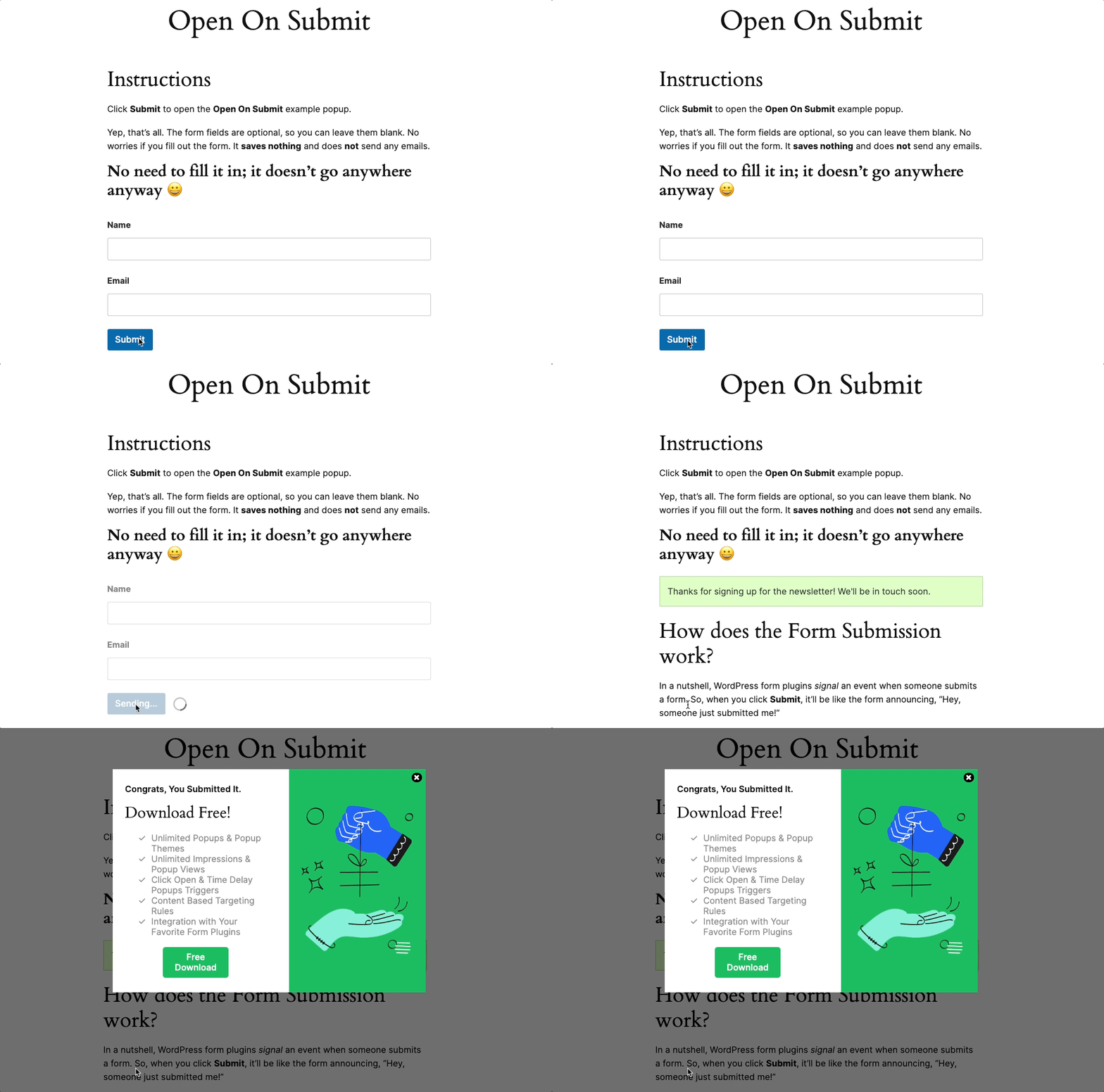
Learn which forms this trigger works with in our Popup Maker Integration with WordPress Form Builder Plugins guide.
Try this Form Submission trigger for free right now #
You can try out the Form Submission trigger right now for free on our demo site. Go to the demo site now.
How to Set a Trigger and Cookie in the Popup Editor #
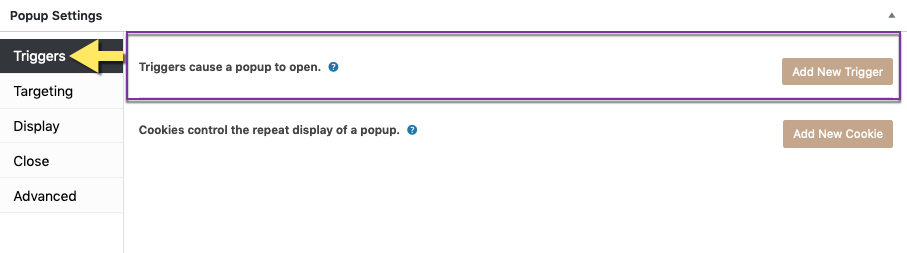
Popup triggers and cookies are set in the Popup Editor ‘Popup Settings’ box. The article links below describe how to add, edit, or delete a popup trigger and cookie.
Within the trigger article, refer to the following sections for information about the Form Submission trigger:
- Add a New Trigger >> Default Plugin Triggers; and
- ‘Form Submission’ Trigger Settings >> ‘Form Submission — General’ option settings.
Related article: ‘Triggers’ option settings
Related article: ‘Cookies’ option settings
Form Submission is One of 3 Default Triggers #
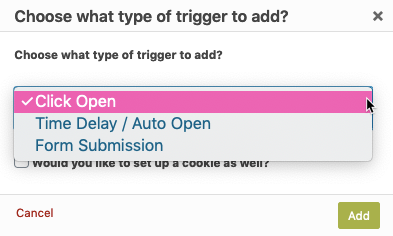
The Form Submission trigger is one of the 3 triggers included with the free version of Popup Maker ( the other two being the Auto Open / Time Delay, and Click Open triggers ).
Backward Compatibility for Users of Ninja Forms, GravityForms, and Contact Form 7 #
Users of the Ninja Forms, Gravity Forms, and Contact Form 7 plugins were previously advised to use a default trigger with a plugin-specific form submission success cookie, such as:
That approach using those plugin-specific cookies remains valid, but will be deprecated in a future version of Popup Maker and eventually removed from the Popup Settings box.
The form plugin cookie methods will continue to work in the Popup Maker version 1.x series, which will maintain backward compatibility. The individual form plugin methods will removed from the plugin in Popup Maker version 2.0. Going forward, you should use the newer “Form Submission” option instead which works with all three of these form builder plugins and many others.


