









Overview #
The AJAX Login Modals (ALM) plugin extension adds 2 more triggers to Popup Maker:
- Force Login
- Click Blocking
ALM also extends Click Open triggers to automatically support launching popups for:
- Login forms
- Registration forms
- Password recovery forms
This help guide describes the ALM triggers and how you can use them.
Force Login Trigger #
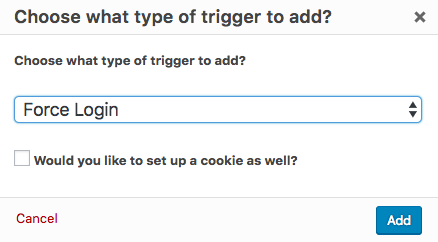
The Force Login trigger automatically opens a login popup when a visitor lands on your site. The popup Close button is removed, which forces visitors to log in before they can access any site content.
By default, the popup will display on all site pages and posts. To limit the popup display to specific pages or posts, you can set up targeting conditions under Popup Settings > Targeting. See the following related article for details on how to set targeting conditions.
Related article: ‘Targeting’ option settings
Provide added security on sites that contain sensitive personal data with the Secure Idle User Logout ( SUIL ) plugin extension. The SIUL plugin sets a timer to automatically log out inactive site visitors. It can be used with the AJAX Login Modals plugin to allow a visitor to log back in.
Click Blocking Trigger #
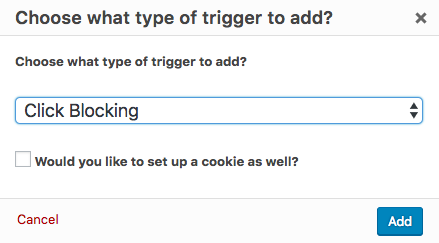
The Click Blocking trigger functions the exact same way as our Click Open Trigger, including the five available methods to trigger the popup. The only difference is that when a user clicks the targeted element, they will be presented with a login popup, instead of a content-based popup.
Once logged in, the user will be forwarded to the action the link is attached to, whether a file download, hyperlink, etc.
The visitor has the option of logging in, registering, recovering their password, or closing the popup. The close button remains visible and usable in a login popup. The user won’t be able to access the site content behind the popup without logging in.
Popup Pro Tip: Make sure to set a cookie on Login/Registration Successful so your visitors aren’t continuously spammed by your Click Blocking popup!
Modified Click Open Trigger #
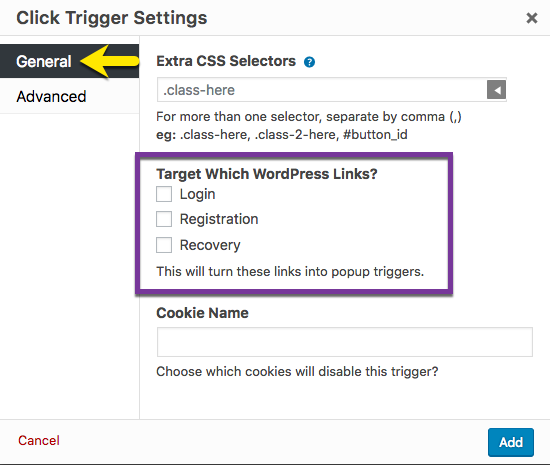
The Click Open trigger is one of the three default triggers included with the free version of Popup Maker. The ALM plugin extends the Click Open trigger to display AJAX-enabled popups for site login, registration, and password recovery.
Targeting WordPress Links #
When selected, each of the checkboxes in the Click Trigger Settings box targets a login, registration, or password recovery link to display an AJAX-enabled popup instead. Targeted links are typically located in a navigation menu, sidebar, or footer area, and follow a URL pattern defined by WordPress.
| Link Function | URL Pattern |
| Login | http(s)://{site-url}/wp-login.php |
| Registration | http(s)://{site-url}/wp-login.php?action=register |
| Password Recovery | http(s)://{site-url}/wp-login.php?action=lostpassword |
For example, when the checkbox above labeled Login is selected, every link that contains the Login URL pattern will automatically trigger an ALM Login popup. No additional triggers are required.
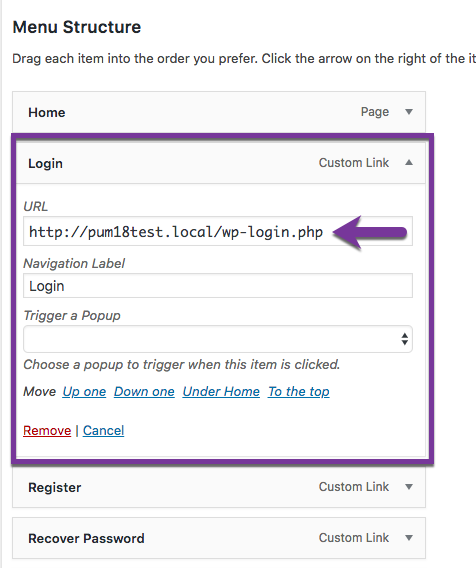
In the screenshot above, a custom navigation link named Login is added to a site menu. When the Login link is targeted by a Click Open trigger, the navigation link will display a popup on click instead of the default WordPress login page.
ALM also works seamlessly with the User Menus plugin to add Login and Logout elements to site navigation menus. The plugin allows users to dynamically change the visibility of navigation menu items depending on a visitor’s login status.


