









Table of Contents
Overview #
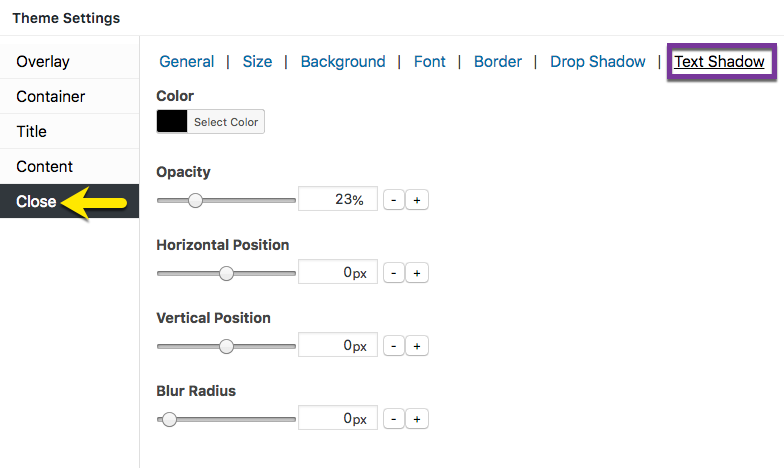
Figure 1 (above). View of the Close >> Text Shadow option settings for the Default Theme.
The Close option tab controls the styling of the popup close button. The Text Shadow category styles the text shadow effect applied to the button text.
Property Descriptions #
- Color styles the drop shadow color. Default (all themes): black / hex number: #000000.
- Opacity styles the color density of the text shadow. An opacity of 100% is a fully saturated color, while a value of 0% is fully transparent.
- Horizontal Position extends and shifts the close button text shadow horizontally. A positive value extends the shadow to the right, while a negative value extends the shadow to the left.
- Vertical Position extends and shifts the close button text vertically. A positive value button text downward, while a negative value extends the text upward.
- Blur Radius extends a color gradient outward from the edge of the close button text (or mark). The higher the value, the greater the width of the gradient.
#
Property Default Values Listed by Theme #
| Popup Theme | Opacity (%) | Horizontal Position (px) | Vertical Position (px) | Blur Radius (px) |
| Cutting Edge | 10 | -1 | 1 | 1 |
| All other themes | 23 | 0 | 0 | 0 |
#
Preview Close Option Settings in the Customizer #
When editing the Close button features, use the customizer located to the right of the Theme Settings box to preview your changes.
Select the Update button to save any changes to popup theme settings. Otherwise, any changes will be lost after you leave the page.


